Welcome to Embrowser. Turn photos, logos, and text into machine embroidery in your browser.
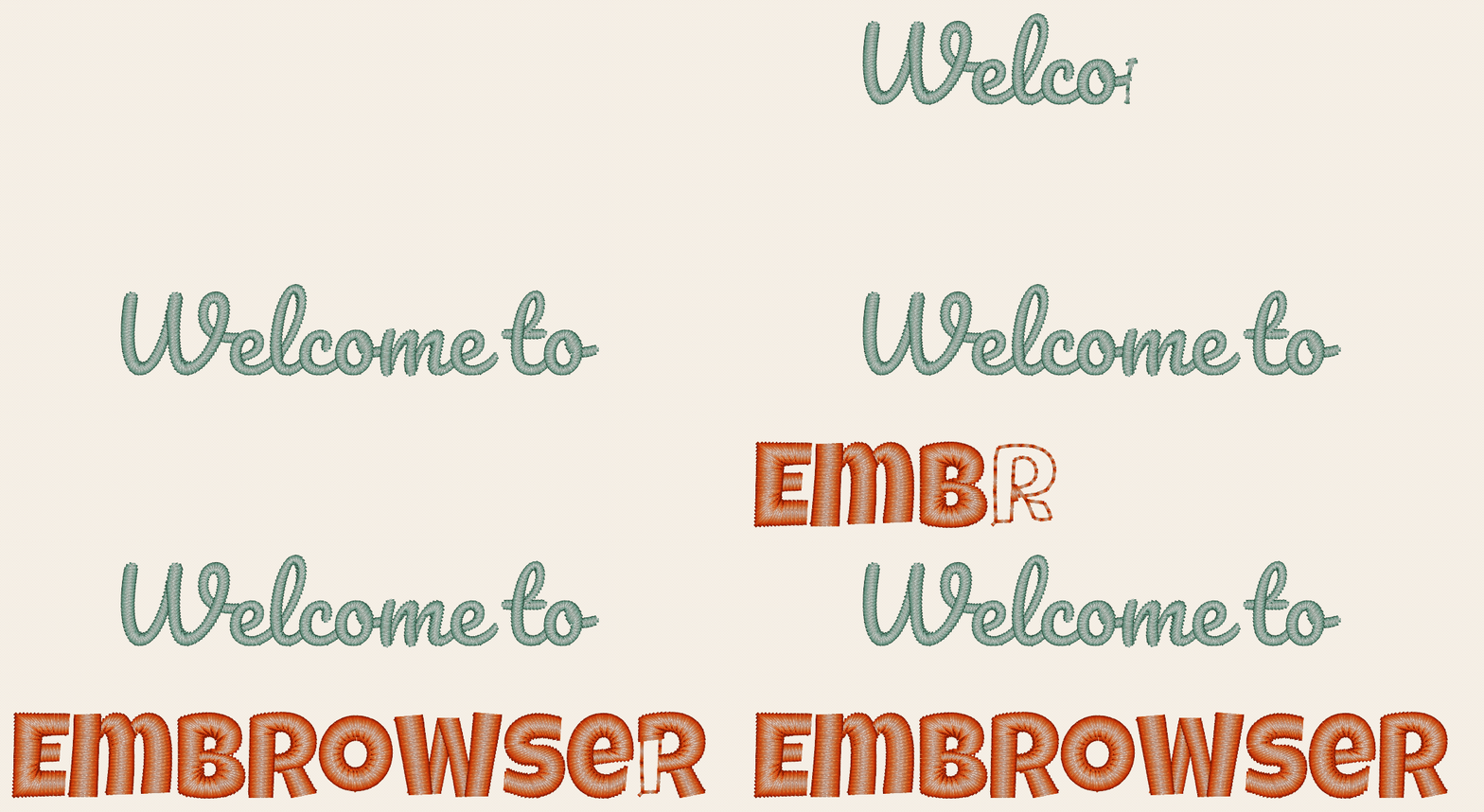
Turn photos, logos, and text into machine embroidery, right in your browser.
Turn photos, logos, and text into machine embroidery, right in your browser.
The Embrowser community is open: publish, browse, and remix designs. Advanced fills like gradients and motifs, and auto route, are free to use within a fair-use limit; warp and rounded corners are always free. Hobby comes with a much higher advanced-fill allowance and higher limits.
to start
No credit card required
install needed
Works in any browser
export formats
PES (Brother), DST (Tajima), JEF (Janome), and more
preview
See it before you stitch
Everything you need to go from artwork to stitch-out, right in your browser.
Import and export any file.
Drag and drop PES, DST, JEF, VP3, EXP, U01, SVG, and images. Edit your design, then export to the format your machine needs. Convert between formats in seconds.
3D preview before you stitch.
See a realistic 3D stitch-out preview before sending to your machine. No guessing, no wasted thread.
Intuitive design tools.
Draw paths, edit nodes, cut with the knife tool, and draw freehand. Merge, intersect, or punch holes to combine shapes. Simple enough to pick up in minutes.
Fonts and text on path.
Add lettering with built-in embroidery fonts. Bend text along any curved path for monograms, arched names, and creative layouts.
Auto digitize photos into stitches.
Drag in a photo, pick your colors, and hit Trace All to fill everything with tatami at once. Or use Pick and Trace to do one shape at a time with any fill: tatami, satin, gradient, and more. Colors are grouped so your machine changes thread as few times as possible. Free on every plan (2 traces per week); Hobby gives you far more.
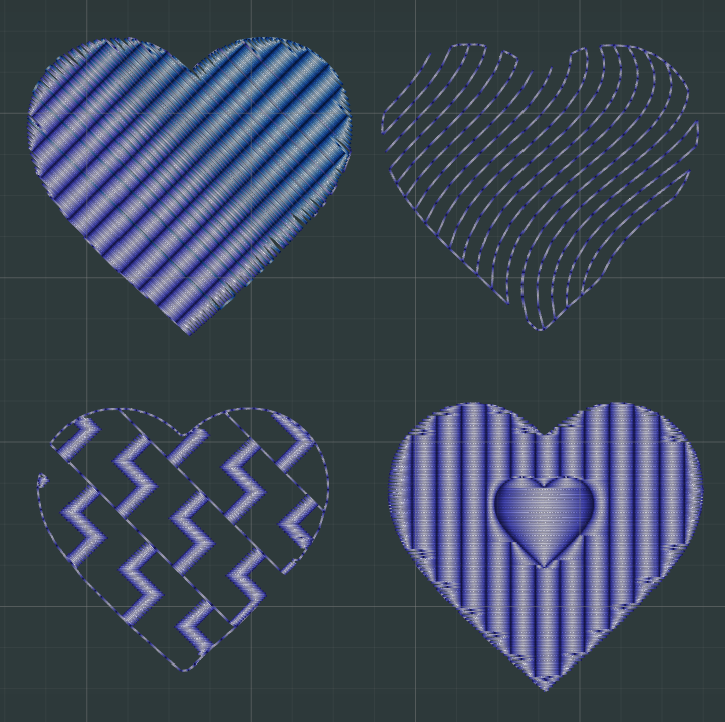
Fills, gradients, and effects.
Choose from 8+ stitch fill styles, from core fills like tatami and satin to gradients, spirals, ripples, and decorative motifs. Add lifelike edge effects like worn, fur, and grass, or stamp your own pattern across a shape. Sharp corners stitch cleanly, and a single slider can round any shape.
Auto route for fewer jump stitches.
Auto route links your shapes into a single shared travel path, so your design stitches out with far fewer jump stitches and thread trims. It works with running-stitch (auto redwork) and satin outlines, free on every plan.
A community of designs.
Browse ready-to-stitch designs shared by other makers. Like, comment, and duplicate them into your own projects.
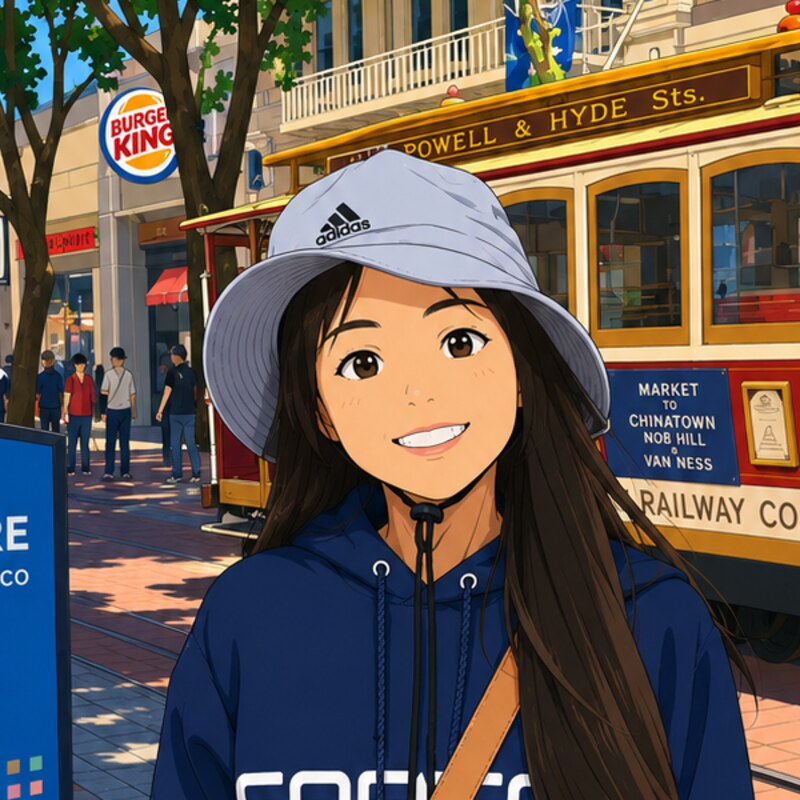
I'm a software engineer in San Francisco. I started learning embroidery a few years ago and began building Embrowser as the app I wished I had. It's still a work in progress, and I'm making it simpler and easier to access as I go.
More about Embrowser →Start with a free plan, upgrade to Hobby for a bigger library, far more auto-trace and auto-digitize, and private folder sharing. $9.99/mo. Cancel anytime.
Try everything before you pay
Start designing in minutes with zero risk
10 saved cloud designs
3 custom embroidery fonts
200 MB storage for designs and thumbnails
Basic fills (tatami, satin) free within a generous fair-use limit; advanced fills (gradient, motif, cross stitch) add a tighter limit, plus pro tools (auto-route, warp, rounded corners, auto start/stop)
2 image auto-traces per week
Fabric pull compensation
Stitch generation included (generous fair-use limits)
Load/save projects from cloud
Public link sharing (view-only)
3D previews before you stitch
A bigger library, far more auto-trace, and private sharing
More room to create, and share your work privately
Everything in Free, plus:
A much higher advanced-fill allowance (gradient, motif, cross stitch, contour, ripple, spiral, stamp, blend, guide, feather)
Much higher image auto-tracing and auto-digitize limits (photo or logo to stitched design)
500 saved designs with 3 GB storage
Custom embroidery fonts: 100
Private folder sharing (Viewer role)
Higher stitch generation limits
Cancel anytime
Free tier includes: 10 saved designs, custom embroidery fonts, free downloads of free community designs, 200 MB cloud storage, tatami and satin fills plus advanced fills (gradients, motifs, cross stitch, and more), all free within a fair-use limit (advanced fills have a tighter cap), and pro tools (auto-route, warp, rounded corners, auto start/stop). Machine-file export (PES, DST, JEF) is free on every plan.
Common questions about our embroidery digitizing software.
Does Embrowser have a free plan?
Yes. The free plan has everything you need to create and export designs: drawing tools, tatami and satin fills plus advanced fills (gradient, motif, cross stitch, and more), all free within a fair-use limit (advanced fills have a tighter cap), auto route, auto-digitize, custom embroidery fonts, 3D preview, and free export to machine formats like PES (Brother) and DST (Tajima). You get 10 saved designs (and free downloads of other free community designs), with 200 MB of cloud storage. The Hobby plan has a much higher advanced-fill allowance, a bigger library (500 designs, 3 GB, 100 fonts), much higher image auto-tracing and auto-digitize limits, and private folder sharing.
Do I need to download or install anything?
No download or installation required. Embrowser is an online embroidery digitizing tool that runs entirely in your web browser. Simply sign up and start digitizing immediately. Works on Windows, Mac, Linux, and even tablets.
What embroidery file formats does Embrowser support?
Embrowser supports major embroidery formats including PES (Brother), DST (Tajima), JEF (Janome), VP3 (Husqvarna Viking), EXP (Melco), and U01 (Barudan). You can also import SVG vector files and images for tracing. Export your finished designs to these supported formats.
How does Embrowser compare to Ink/Stitch or other digitizing software?
Unlike Ink/Stitch which requires downloading Inkscape and installing extensions, Embrowser is completely web-based with no installation needed. The interface is designed specifically for embroidery digitizing with real-time 3D previews, cloud storage, and easy sharing. It's built to be easy to learn, even if you've never digitized before.
Can I use Embrowser for commercial embroidery projects?
Yes. Original designs you create in Embrowser are yours to use for personal or commercial projects, subject to our Terms of Service. Ensure any artwork or images you use are properly licensed. Our Hobby plan ($9.99/mo) offers additional features like more storage, private sharing, and higher usage limits that are great for small embroidery businesses.
What can I do with Embrowser?
You can draw shapes, trace images, add text with embroidery fonts, bend text along curves, and preview your design in 3D before stitching. The free plan includes tatami and satin fills plus advanced fills (gradients, spirals, ripples, decorative motifs, edge effects like worn, fur, and grass, and stamp patterns), all free within a fair-use limit (advanced fills have a tighter cap), along with auto route, one-click auto-digitize (trace → stitches), and 2 photo auto-traces per week. The Hobby plan raises the advanced-fill and image auto-tracing/auto-digitize limits, and adds a bigger library and private folder sharing.
Does Embrowser include embroidery fonts?
Yes. Embrowser includes built-in embroidery fonts that you can use to add text to your designs. Use text on path for curved lettering, adjust letter spacing and sizing, and apply different fill types to your text.
Does Embrowser have image tracing for embroidery?
Yes. Embrowser includes powerful image tracing that converts photos and images into editable vector paths ready for embroidery. Simply drag and drop an image (PNG, JPG, etc.) and use the trace tool to create clean vector outlines. Turn on Auto digitize to convert the whole trace into stitches in one click, free on every plan. Every shape is filled with automatic start/stop points, overlaps are cleaned up, and colors are grouped to minimize thread changes. You can also exclude colors (like the background) from stitching. The free plan includes 2 image traces per week; the Hobby plan gives you far more auto-tracing and auto-digitize.
Does Embrowser have a handwriting or freehand drawing tool?
Yes. Embrowser includes a handwriting/freehand drawing tool that lets you draw custom paths directly on the canvas. Create signatures, custom lettering, or artistic designs by drawing freehand. The paths are automatically smoothed and can be converted to running stitches, satin stitches, or used as guides for fills.
It's free to start. No download, no credit card.